
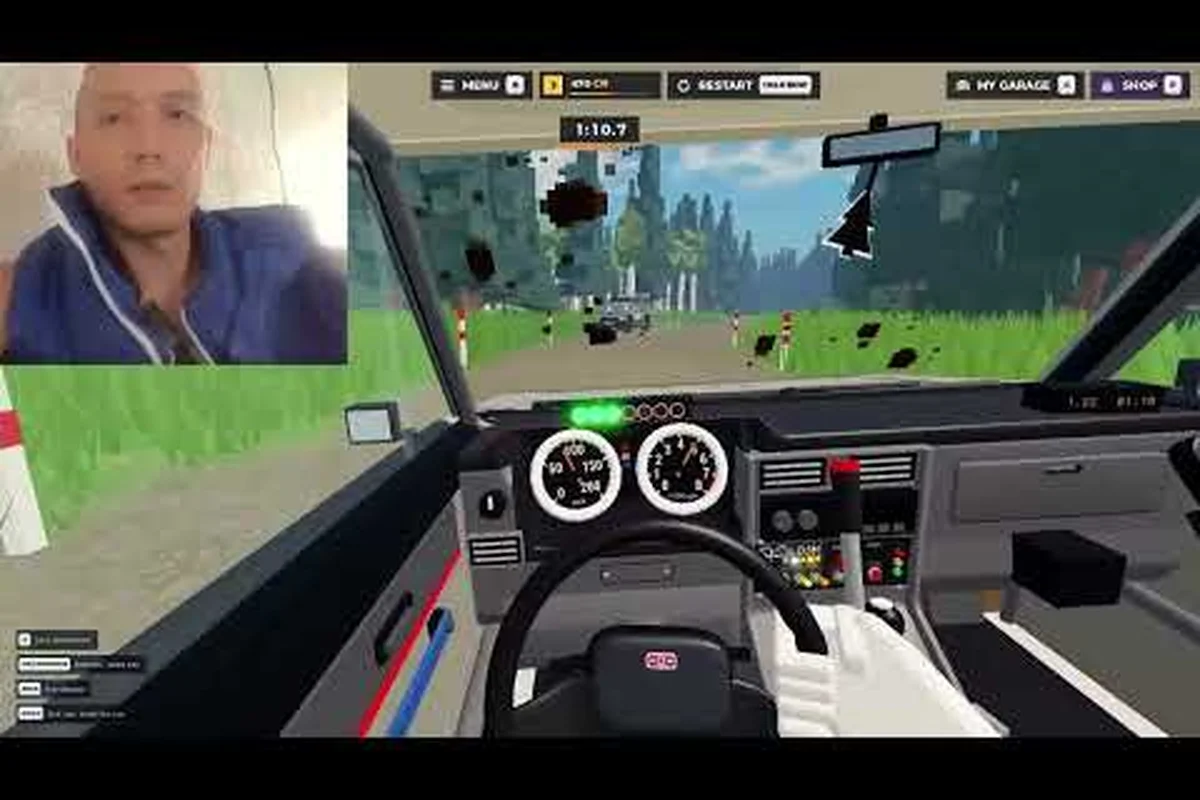
A precise Backseat Rally sensitivity guide helps you hear every co-driver callout, react before corners arrive, and turn near-misses into clean time-trial runs. Tune the setup, audio, and practice routine, then carry those habits into competitive ranked play.
Backseat Rally Sensitivity Setup Fundamentals
Backseat Rally gives the driver a narrow view of the road while the co-driver communicates what is coming next. That division makes small control changes unusually important: a camera setting that feels comfortable during a calm lap can become distracting when a sharp turn arrives after a long straight. The goal is not maximum sensitivity; it is a setup that presents information early without making the car feel unpredictable.
The Steering Sensitivity control determines how quickly the vehicle responds to your input. The Camera Sensitivity control affects how rapidly the view follows steering and road movement. Audio options determine whether the co-driver's distance warnings and direction cues arrive clearly enough to act on. These settings should be tuned together because changing one alters how the other two feel.
Community walkthroughs such as ItzVexo's Backseat Rally guide show the game built around two complementary roles: the driver handles the car, and the co-driver reads left/right turns plus distance warnings. The control tutorial also emphasizes learning those calls before trying to chase a personal best.
A practical starting point is more useful than a universal preset because devices, input methods, and player habits differ. Use the following baseline, then change only one setting at a time.
| Setting | Starting position | What it should accomplish |
|---|---|---|
| Steering Sensitivity | 50% | Centered steering with enough response for quick corrections |
| Camera Sensitivity | 50% | A stable horizon without delaying the next corner |
| Master Volume | 70% | Clear co-driver audio without abrupt peaks |
| Music Volume | 0–20% | Minimal competition with spoken callouts |
| Effects Volume | 30–50% | Engine and surface sounds remain informative but secondary |
After a change, drive the same short course three times. If your steering and braking improve but the view becomes harder to read, camera sensitivity is too high. If the car reacts well but the camera feels detached, increase steering response before changing the view again.
Audio Callouts and Reaction Timing
The Co-driver Callouts are the game's most valuable navigation aid. They tell you what the driver cannot see clearly, including the direction of a turn and when a hazard is getting close. In the backseat rally audio callout guide approach, you should first make the voice distinguishable from music and effects, then practice reacting to the warning rather than memorizing the track.
The most common audio problem is not low volume; it is masking. Music, engine effects, and surface sounds can occupy the same frequencies the co-driver uses, especially on laptop speakers. Lowering music is usually more effective than pushing every channel to maximum. Keep the voice prominent, reduce competing effects, and test the actual volume level you will use during a ranked lobby.
| Callout condition | What to listen for | Driver action |
|---|---|---|
| Straight or corner warning | The direction word near the start of the instruction | Prepare the wheel and approach smoothly |
| Distance warning | The spacing value before the hazard | Adjust speed rather than making a late emergency turn |
| Severe hazard warning | Faster or more urgent delivery | Brake early and accept a slower clean run |
| Unclear transmission | A missing or covered word | Slow slightly and use the road ahead, never guess recklessly |
Distance warnings are most valuable when treated as a speed-management signal. If the callout says the next hazard is close, release acceleration or begin braking before the visual cue becomes urgent. Early braking preserves steering control; late braking forces a correction that can cost several tenths of a second.
For a better baseline, review the PC controls walkthrough by nocrown, which covers keyboard-and-mouse setup, steering, braking, camera behavior, and co-driver audio. Treat the video as a setup reference rather than a fixed preset because sensitivity still needs to match your display size and viewing distance.
A useful training rule is to react to the first complete callout. Do not wait for a second announcement, and do not try to infer hazards from the road before they become visible. This habit strengthens the cooperation between driver and co-driver and reduces the frantic corrections that make repeated attempts feel inconsistent.
Testing Steering and Camera Sensitivity
A sensitivity test should measure behavior, not opinion. Choose a controlled section with a straight, a moderate bend, and at least one tight turn. Complete it at a consistent speed, note the number of corrections, and compare the result after each adjustment. This process is the foundation of a useful Backseat Rally sensitivity guide because it separates comfort from speed.
Steering sensitivity should be predictable, not merely fast. Too much steering sensitivity can make small mouse movements feel sharp, while too little can force larger, less precise inputs. The best value is the one that lets you keep the car near the intended line without constantly fighting the wheel.
| Symptom | Likely cause | Adjustment |
|---|---|---|
| Car snaps toward the road edge | Steering response is too aggressive | Lower steering sensitivity by 5–10 points |
| Front end feels slow to enter a turn | Steering response is too restrained | Raise steering sensitivity by 5 points |
| Horizon swings sharply after corrections | Camera follows too aggressively | Lower camera sensitivity by 5 points |
| Camera feels disconnected from steering | View reacts too slowly | Raise camera sensitivity by 5 points |
| Driver makes frequent tiny corrections | Input is too sensitive or jerky | Lower steering sensitivity and smooth mouse movement |
Make adjustments in 5-point increments. A large change may seem productive, but it prevents you from identifying which setting caused the improvement. Test one variable for three runs, then keep the setting only if the result is repeatable. If the last run was faster by chance, the change has not yet been validated.
Camera distance and field of view also influence effective sensitivity. A wider view can reveal more road but makes the car appear smaller, while a closer camera improves the sense of speed but can hide distant hazards. Keep the camera position consistent during a sensitivity test so that steering and view changes are not disguised by a simultaneous change in perspective.
A Backseat Rally Practice Guide for Consistency
The fastest improvement comes from a repeatable practice routine, not from repeatedly restarting after a poor lap. This Backseat Rally practice guide uses short blocks with a fixed objective: learn one callout pattern, one braking point, or one steering correction at a time. The Backseat Rally tutorial for basic controls and progression can establish the starting mechanics before you refine them.
Begin with a Baseline Run and record the complete time, the stage, the car, and the reason the run ended. A run that ends in a spin is more useful when labeled precisely than when it is simply called a failure. Over several attempts, recurring labels reveal the mechanic costing the most time.
| Run | Time | Main issue | One change for the next run |
|---|---|---|---|
| 1 | 42.8 sec | Late brake into left turn | React to the first distance warning |
| 2 | 41.9 sec | Unstable camera after steering input | Reduce camera sensitivity by 5 |
| 3 | 41.2 sec | Small steering corrections | Smooth mouse movement |
| 4 | 40.6 sec | No major correction | Keep the setup and refine the entry |
After four runs, change only the most important issue. If you alter steering, camera, and audio at once, a better time may hide a worse setting. This controlled approach also makes it easier to return to a known-good setup when an update or new car changes the handling feel.
Practice should include clean runs as well as recoveries. After a mistake, continue the stage and practice the next hazard without a restart. Recovery speed is a meaningful skill because ranked and time-trial races are often decided by small margins rather than a single major error.
Backseat Rally Time Trial Improvements
A time trial rewards smoothness, but the biggest gains often come from removing avoidable mistakes. The backseat rally time trial guide process should focus on the sequence between callouts: release or maintain throttle, position the car, make one steering input, then return the wheel toward center. Trying to correct every tiny movement creates unnecessary instability.
| Priority | Technique | Expected effect |
|---|---|---|
| 1 | React to the first complete callout | Prevents late, abrupt steering |
| 2 | Brake before the visual hazard becomes urgent | Preserves grip and control |
| 3 | Use fewer steering corrections | Reduces wobble and missed apexes |
| 4 | Keep the camera stable | Improves precision at the next turn |
| 5 | Finish clean runs before chasing maximum speed | Creates a repeatable target |
Braking is especially important because a hard stop can unsettle the camera even when the vehicle remains pointed in the correct direction. Begin braking on the distance warning, hold the wheel still, and wait until the turn becomes visible before adding steering. This staged response is usually more repeatable than a late corner-entry technique that depends on perfect timing.
The car also affects the sensitivity baseline. A vehicle with stronger acceleration may make late throttle application more tempting, while a stable car can reward smoother steering inputs. Compare eligible options in the time-trial car recommendations before blaming a setup that may simply suit a different handling profile.
Avoid changing your sensitivity immediately after every bad run. First determine whether the problem was visual timing, audio clarity, control smoothness, or vehicle behavior. Then preserve a working setup, make one measured adjustment, and compare. A stable configuration provides a much stronger foundation for long-term time-trial improvement.
Ranked Play and Input Consistency
Ranked play adds pressure, but the same input consistency that improves a time trial also supports stronger head-to-head results. In this Backseat rally ranked guide, treat the first few corners of a stage as a calibration period. Confirm that the camera follows properly, the co-driver remains audible, and your steering response matches your expectation before pushing the pace.
Gamepad and mouse behavior differ, so a preset copied from another device may require more than a minor adjustment. A mouse benefits from consistent sweep distance, while a controller or mobile input may use a different sensitivity range. The verified Backseat Rally PC video guide by nocrown provides a useful desktop reference, but your own recorded runs remain the strongest basis for tuning.
| Competitive situation | Likely concern | Practical response |
|---|---|---|
| First corner after the start | Adrenaline causes excess steering | Hold a conservative input for the opening sequence |
| Repeated missed callouts | Audio is masked | Lower music and raise co-driver clarity |
| Clean pace but frequent spins | Steering is too sharp | Reduce steering sensitivity by 5 points |
| Slow reactions on straightaways | Player attention drifts | Use distance warnings as rhythm cues |
| Different result on every attempt | Setup was changed each run | Lock a setup for at least three runs |
Consistency should also extend to the interface. Keep the same car, camera distance, and volume configuration for a block of ranked races. Switching cars every lobby makes it difficult to distinguish a handling change from a settings problem, while changing a sensitivity after every loss creates a noisy test with no stable reference point.
If you are still learning the co-driver system, the competitive strategy overview can help connect clean calls with race positioning and risk management. Sensitivity creates the foundation, but racecraft depends on deciding when to follow a call immediately and when to accept a slower entry for a safer exit.
Common Setup Mistakes to Avoid
Most sensitivity problems come from reacting emotionally to a single lap. The first failed corner may feel like proof that the entire setup is wrong, so the player changes several values and repeats. A better method is to separate driver errors from control problems. The Co-driver Callout Timing checklist below can help determine what should change next.
| Mistake | Why it hurts | Corrective action |
|---|---|---|
| Maximizing every slider | Small movements become difficult to control | Return to the 50% baseline |
| Raising music with the voice | Speech becomes harder to distinguish | Keep music between 0% and 20% |
| Changing settings after every run | The test loses a stable baseline | Hold each setup for three runs |
| Waiting for visible hazards | Braking and steering arrive together | Act on distance warnings |
| Testing only at top speed | Minor input errors become larger | Start with controlled, repeatable runs |
| Ignoring device differences | Copied presets feel wrong | Tune on the device used for ranked play |
A clean audio test requires actual racing conditions. Start the engine, play music at your normal level, and listen to a co-driver callout during acceleration. If the distance number disappears beneath effects, lower effects before turning up the voice. This preserves the warning without making engine sounds unnaturally loud.
The same discipline applies to the camera. Avoid riding on the hood or adopting an extreme field of view just because one preview seems faster. A view that exposes more information can still be slower if the horizon moves unpredictably. Judge the setup by repeatable steering, not by how dramatic it appears.
Finally, save a separate note for each device and control method. A desktop configuration may work well with a mouse, while a controller or phone needs its own baseline. That prevents a good setup from being labeled “bad” merely because it was tested under different conditions.
Frequently Asked Questions
What is the best sensitivity setting for Backseat Rally?
Start with steering and camera sensitivity near 50%, then adjust each by 5-point increments. There is no universal best value because monitor size, input device, and player habits differ. Keep the setting that produces smooth corrections, clear road visibility, and repeatable times across at least three runs.
How do I make co-driver callouts easier to hear?
Lower music first, then reduce effects that mask speech and keep master volume high enough for distance warnings to remain distinct. Test the setup during a race because engine and surface sounds can change what you hear. A useful configuration makes the direction word and distance value understandable without requiring the car to stop.
Should camera sensitivity match steering sensitivity?
They do not need to match, even though starting both at 50% provides a simple baseline. Lower camera sensitivity if the view swings after corrections, and raise it if the road feels disconnected from your steering. Change one control at a time so you can identify which setting improves the time-trial result.
How many practice runs are needed before ranked racing?
Use at least three consecutive runs with one fixed setup before making a major adjustment. Practice specific problems such as late braking, missed callouts, or excessive steering corrections rather than chasing a different time every attempt. Enter ranked play when your approach remains stable even when the lap is not perfect.