
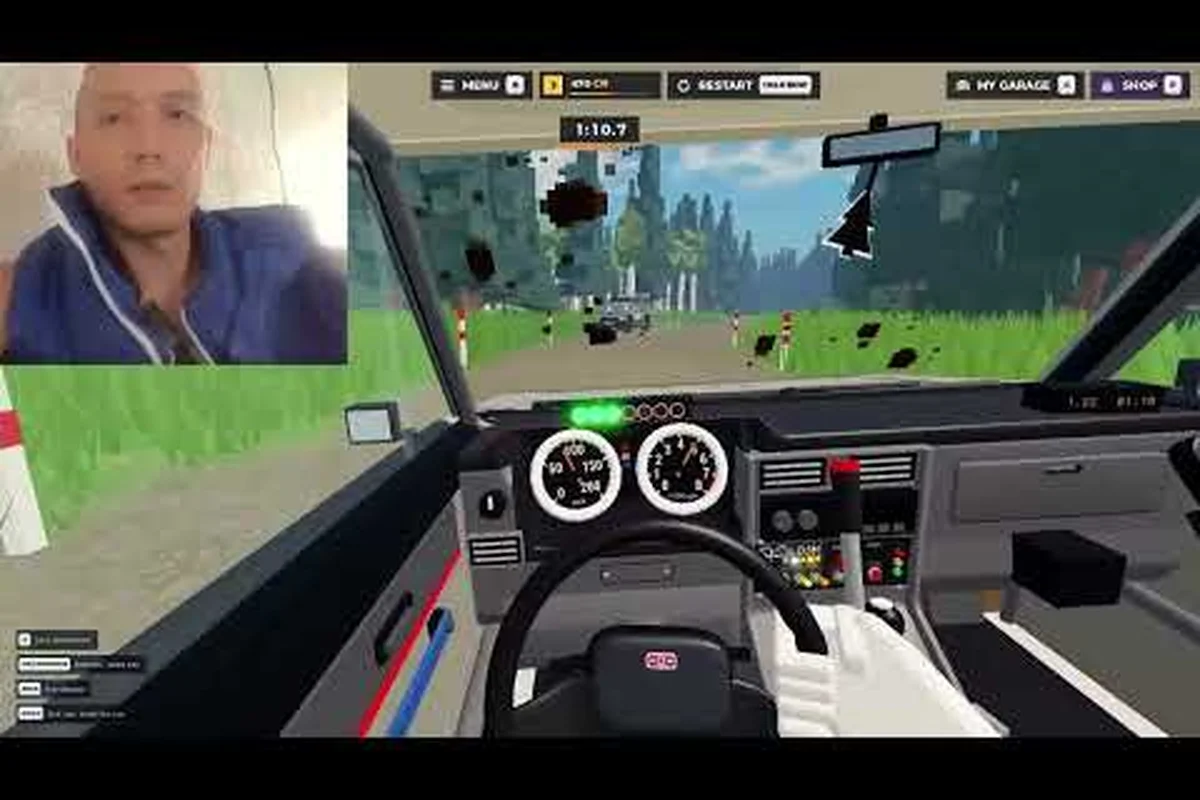
Backseat Rally game settings can turn a bumpy first attempt into a cleaner, faster rally by matching audio cues, controls, and visuals to your play style. Tune the options below, then use focused practice runs to cut the learning curve before chasing a gold medal.
Understanding Backseat Rally Game Settings Before You Tune Them
Backseat Rally game settings affect the information available during a run, but understanding the situation first prevents you from changing options without a clear purpose. The official Backseat Rally game page describes a co-op rally game built around a divided role: the driver sees only a narrow portion of the road, while the co-driver calls the turns. That design makes communication and signal clarity more important than a large field of extra visual information.
The game has seven unlockable cars and five stages, moving through forests, snowy passes, cherry-blossom roads, rain, and mud. Conditions are not merely decorative: dynamic rain, mud, and snow affect grip and braking, so a setup that feels comfortable on dry pavement may feel too aggressive on a wet stage. A good settings profile should therefore help you identify the road, understand a call, and react early enough to avoid unnecessary spins.
| Setting area | What it controls | Best starting approach |
|---|---|---|
| Audio | Engine, road, weather, and co-driver cues | Keep navigation calls clear and loud |
| Controls | Steering, acceleration, braking, and camera input | Use large, predictable inputs |
| Graphics | Visibility, shadows, and visual clarity | Favor road readability over spectacle |
| Practice mode | Replays and deliberate learning attempts | Use it to isolate one driving weakness |
| Assist options | Steering or braking forgiveness | Adjust gradually as skill improves |
A useful first pass is to change one category at a time. If you alter sound, resolution, and steering sensitivity together, you may credit the wrong change when a run improves. The Backseat Rally beginner guide provides a useful baseline for learning the divided driver and co-driver roles before you begin optimizing individual options.
What the Official Game Details Tell You to Account For
The five environments create distinct technical demands. Forest sections reward early braking and controlled steering, while snow reduces confidence in traction. Cherry-blossom roads may look clear but still require precise direction changes, and rain introduces both reduced grip and more visual interference. Mud can make acceleration and rotation feel sluggish, which means a smooth-input control setup may outperform abrupt steering corrections.
Gold medal targets reward clean stage runs, so speed alone is not the only measurement. A configuration that helps you avoid wall contact, spin late, or miss a checkpoint can create a better medal result even if your raw pace appears slightly lower. Track three things during evaluation: medal time, number of avoidable incidents, and whether your co-driver calls remain understandable.
Build a Baseline Before Changing Options
Record the current configuration, then complete one short stage without experimenting. Note where the driver struggles: delayed braking, excessive steering correction, difficulty locating the next turn, or losing an audio cue. This baseline turns the Backseat Rally learning curve into a checklist of specific problems rather than a vague feeling that something is “off.”
| Observation | Likely cause | Adjustment to test |
|---|---|---|
| Calls are hard to understand | Dialogue competes with effects | Rebalance audio levels |
| Steering feels twitchy | High sensitivity or fast response | Lower sensitivity slightly |
| Braking happens too late | Weak road or call cue | Increase visual clarity and add braking margin |
| Mud causes constant correction | Inputs are too abrupt | Smooth steering and moderate acceleration |
The official game launch information on its Roblox page also confirms that solo players receive an AI co-driver. That makes solo practice practical, although the same navigation calls should still be treated as real instructions rather than optional background noise.
Backseat Rally Practice Mode: A Deliberate Learning System
Backseat Rally practice mode is most valuable when it removes vague objectives and gives you one specific behavior to correct. Rather than repeating a full stage until the finish, choose a short segment, define a measurable target, and make a small adjustment between attempts. This approach shortens the Backseat Rally learning curve because each run contains a clear cause-and-effect lesson.
Run a Three-Part Practice Cycle
Start with a calm reconnaissance run to identify the hardest feature. On the second attempt, focus on one behavior, such as braking before a wet corner or lifting acceleration in mud. On the third attempt, repeat that behavior under the same conditions and compare the result. If the track changes because of dynamic weather, preserve the lesson by focusing on the same driving action even if the grip changes.
| Practice stage | Driver focus | Co-driver focus | Success marker |
|---|---|---|---|
| Reconnaissance | Observe road and braking points | Establish early, consistent calls | No surprise corrections |
| One-variable run | Repeat one corrected action | Use the same call style | Fewer errors at target corner |
| Verification run | Apply the action under similar load | Refine call clarity if needed | Better pace without contact |
Do not change several variables during one run. A lower steering setting, brighter road lighting, and louder navigation audio may collectively improve performance, but they obscure which adjustment deserves credit. In later sessions, combine proven changes and document the resulting configuration.
Use Practice Mode for Role-Specific Weaknesses
The driver can be distracted by a narrow forward view, while the co-driver may struggle to translate road features into concise instructions. These are separate skills, so practice them separately when possible. A solo player can treat the AI navigator as a fixed reference and concentrate on wheel control; a two-player group can assign one person to communication drills before returning to timed stages.
For co-driver practice, use landmarks rather than vague timing instructions. “Turn right at the red marker” is more useful than “turn soon,” especially in rain or mud where the road edge is hard to distinguish. For driver practice, confirm that each call arrives early enough for a smooth steering and braking sequence. The solo-mode guide explains how the AI co-driver changes communication habits compared with playing with a friend.
Set Targets That Reward Cleanliness
Gold medal targets are useful, but a practice target should isolate driving quality. Use checkpoint completion, clean-corner count, or time lost to collisions instead of demanding perfection. A session built around three consistent clean corners is more actionable than one that ends in frustration over a missed gold target.
| Target | Why it helps | When to use it |
|---|---|---|
| Clean corner sequence | Builds confidence without a crash | Early learning stage |
| Consistent call timing | Improves teamwork | Co-driver or duo sessions |
| Stable mud exits | Tests traction management | Mud-focused practice |
| Reduced snow braking distance | Prevents late reactions | Snowy stages |
| Repeatable checkpoint route | Confirms navigation | Solo navigation practice |
Backseat Rally advanced tips become more effective when they are based on repeatable actions. If a corner repeatedly causes trouble, practice the entry, apex, and exit as three linked decisions. A cleaner technique will survive more easily than a memorization trick when weather changes the grip underneath the car.
Audio, Graphics, and Control Layout Choices
The best Backseat Rally game settings balance the driver’s limited sightline with the co-driver’s spoken guidance. Audio deserves particular attention because it often carries the information that cannot be seen. At the same time, engine and weather sounds can mask a call, while excessive brightness or visual effects may make the narrow road harder to parse.
Balance the Navigation Voice and Driving Layers
Keep the navigation channel audible enough to understand at speed, but do not maximize every slider to the point where engine, tires, rain, and wind become a dense wall of sound. Use relative levels to make instructions immediately recognizable. If the game presents separate controls for voice, effects, music, and ambient sound, give the voice the clearest position and lower competing effects when necessary.
| Audio situation | Practical adjustment | Driving benefit |
|---|---|---|
| Co-driver calls are buried | Raise voice volume or lower effects | Earlier reaction to turns |
| Engine constantly masks calls | Reduce engine effects | Better directional awareness |
| Wind dominates on snow or high-speed roads | Lower ambient layer | Less listening fatigue |
| Music competes with instructions | Reduce music during runs | Clearer call rhythm |
| Calls remain correct but misunderstood | Improve call wording, not volume | More precise navigation |
Sound balance is especially valuable when a stage becomes visually noisy. Dynamic rain can obscure road markings, and mud may hide the exact line. If the navigator’s voice remains distinct, the team can preserve speed and avoid late corrections even when the scenery offers fewer visual cues.
Favor Road Clarity Over Maximum Graphics
Lowering shadows, excess effects, or unnecessary visual clutter can help the driver identify the road’s direction. Avoid making the scene so bright that the road, shoulder, and background lose separation. The goal is not to remove atmosphere; it is to retain useful contrast around the drivable surface.
A practical graphics test uses three checkpoints. Pause during a run, examine whether the next turn is identifiable, then check whether the road edge remains distinct against mud, snow, or rain. If not, adjust lighting or effects before changing driving assists. A brighter image is not automatically clearer when glare and heavy effects obscure the horizon.
Choose a Predictable Control Layout
Remap controls so steering, acceleration, braking, and camera actions sit in stable positions. Avoid placing frequently paired actions too close together, because accidental overlap can cause a late correction. If the game allows sensitivity and response settings, begin near the middle range and make small adjustments based on observed inputs.
| Control issue | Likely setting | Test method |
|---|---|---|
| Tiny corrections become full turns | Steering sensitivity too high | Compare inputs during a straight section |
| Car ignores small inputs | Steering sensitivity too low | Test a slow, technical corner |
| Braking feels delayed | Brake response setting | Measure reaction during straight-line stops |
| Camera movement causes disorientation | Camera acceleration or smoothing | View a sequence of linked turns |
The control and acceleration guide provides additional checks for throttle and braking behavior. Use those techniques after stabilizing the layout, because acceleration advice cannot be evaluated accurately when the steering or camera configuration changes every lap.
Reducing the Backseat Rally Learning Curve Through Test Sessions
A productive Backseat Rally learning curve depends on routine. Establish a repeatable session that compares settings, driver actions, and co-driver communication under similar conditions. The official game’s five stages and changing surfaces make this especially valuable because one setup must work across forests, snow, rain, and mud rather than a single predictable circuit.
Structure a 15-Minute Session
Spend the first three minutes reviewing your last run and selecting one error. Use the next seven minutes for a focused attempt with one change. Finish with three minutes of clean repetition, then record the result. This compact format is more effective than a long sequence of unstructured retries because it connects every attempt to a deliberate decision.
| Time | Activity | Result |
|---|---|---|
| 0–3 minutes | Review last run and choose one error | Defines a specific objective |
| 3–10 minutes | Practice one variable | Tests the adjustment |
| 10–13 minutes | Repeat without other changes | Checks consistency |
| 13–15 minutes | Save findings and select next test | Preserves useful data |
Save separate profiles for common conditions if the settings menu allows it. A Dry Road Profile can favor sharper steering and earlier braking, while a Wet or Mud Profile may need gentler steering, more conservative acceleration, and slightly more conservative audio levels. A Snow Profile should emphasize early calls and reduced reliance on subtle visual cues.
Compare Like With Like
Weather and stage conditions can distort a settings comparison. If one run has heavy rain and another is dry, differences in grip and braking may look like control-setting changes. Repeat the same stage when possible and keep the same car, route, and assistance level. If dynamic conditions prevent an exact match, compare the driving decision rather than the final time.
| Variable | Hold constant when possible | What to compare instead |
|---|---|---|
| Stage | Same route and checkpoints | Braking point and corner exit |
| Car | Same unlockable vehicle | Response to throttle and steering |
| Weather | Similar surface and visibility | Call timing and input smoothness |
| Co-driver | Same communication style | Clarity and consistency of calls |
| Assist level | Same setting | Number of avoidable incidents |
Community experience often shows that communication works best when the co-driver states what comes next and the driver confirms action. The mistakes-to-avoid guide can help identify recurring errors, while this settings method ensures that a poor result is not simply blamed on the game when the real cause is an untested input or audio configuration.
Know When a Setting Has Done Its Job
A setting is successful when it supports a consistent action. If lower steering sensitivity reduces twitchy corrections without making the car difficult to place, keep it. If the voice becomes easier to hear and calls arrive early enough to prevent panic braking, keep that balance. Avoid endlessly adjusting a menu simply because the last run was poor; weather and driving errors can resemble technical problems.
Backseat Rally Advanced Tips for a Stable Final Setup
Backseat Rally advanced tips work best when they account for the entire information chain: the co-driver identifies the turn, the driver recognizes the cue, the controls translate the intended action, and the graphics confirm the road. A final profile should make every link in that chain faster and more reliable. It should also remain simple enough that you can identify which option caused a change.
Run a Full-Stage Settings Audit
Test one forest route, one snow section, and one rain or mud section with your proposed final profile. The official game page lists these as distinct stages, which makes them a useful stress test for traction, visibility, and braking. Do not chase a medal during the audit; focus on whether the driver can make early, smooth inputs and whether the navigator remains understandable.
| Audit area | Pass condition | Symptom requiring revision |
|---|---|---|
| Audio | Every navigation call is understood | Driver reacts after the call |
| Controls | Steering and braking feel deliberate | Frequent overcorrection |
| Graphics | Road edge and turn are identifiable | Driver searches for the route |
| Practice behavior | One adjustment is tested at a time | Several options change together |
| Weather response | Inputs adapt to grip | Same speed used on every surface |
If the setup feels excellent on a dry road but breaks down in rain, treat that as a useful result rather than a failure. The game’s dynamic conditions mean your “best” configuration may need to be a small set of profiles rather than a single universal setup.
Keep a Revert Point
Before making a final change, save or remember the current values. This creates a Revert Point, a known configuration that can be restored if the new profile produces slower reactions or more frequent corrections. A simple note with resolution, audio levels, control layout, and assist preferences is enough.
Do not keep four sliders that barely differ. Their differences will be impossible to judge during a stage and will add clutter without practical value. A final setup should have a clear purpose for each adjustment, such as Clear Voice Priority, Low-Shake Steering, or High-Contrast Road View. These labels describe the intended result rather than a vague promise that an option is “better.”
Verify With a Two-Person Test
When playing with another person, ask the co-driver to report whether calls remain distinct during a full run. Then ask the driver whether the calls arrive early enough to allow smooth steering and braking. This two-direction test catches problems that solo practice may hide, because the co-driver can hear whether the voice channel is being masked and the driver can confirm whether timing is adequate.
| Test result | Likely interpretation | Next action |
|---|---|---|
| Co-driver understands every call | Audio profile is working | Keep voice balance |
| Driver acts late despite clear calls | Call timing or visuals need work | Adjust timing and road contrast |
| Both roles struggle in rain | Inputs may be too harsh | Reduce steering and acceleration |
| One role struggles consistently | Role-specific issue | Review that role separately |
| Both improve on every stage | Profile is stable | Lock it as the baseline |
Finally, check the competitive or versus setup after tuning, because different modes may reward different priorities. The versus-mode guide explains how a head-to-head session can change the value of rapid reactions. Keep the baseline profile, but make only the smallest changes needed for that format instead of rebuilding everything from scratch.
A Final Backseat Rally Walkthrough for Settings, Practice, and Improvement
This Backseat Rally walkthrough turns the menus into a repeatable improvement system. First, establish a baseline with clear audio, predictable controls, and road-focused visuals. Next, use practice mode to correct one behavior at a time across dry, snowy, rainy, and muddy conditions. Finally, audit the complete setup with a full stage and preserve a revert point.
| Improvement stage | Action | Result |
|---|---|---|
| Baseline | Record current settings and complete one clean run | Identifies specific weaknesses |
| Audio test | Prioritize navigation over competing sound | Improves call recognition |
| Control test | Adjust one steering or brake response value | Produces more deliberate inputs |
| Visual test | Improve road contrast on difficult surfaces | Reduces visual searching |
| Practice | Repeat one corner or communication pattern | Builds consistent behavior |
| Final audit | Test several stages and save the profile | Establishes a stable configuration |
The most valuable Backseat Rally game settings are not the most extreme settings. They are the ones that let the team identify a turn, communicate early, and make a clean input under changing grip. Keep a written record, make small changes, and judge each test by clean driving rather than one isolated result.
Frequently Asked Questions
What are the best Backseat Rally game settings for beginners?
Begin with clear navigation audio, moderate steering sensitivity, and graphics that keep the road edge easy to see. Avoid extreme steering or acceleration values, because they can make small corrections feel abrupt. Test the profile on forest, snow, rain, and mud stages, then adjust only the setting connected to the difficulty you experience.
Does Backseat Rally practice mode reset stage progress?
Practice sessions are best treated as skill-building runs rather than permanent progress checks. Their value comes from repeating a specific corner, braking point, or call pattern with one controlled adjustment. Keep your normal best time separate, and evaluate practice by clean corners, fewer errors, and clearer communication.
How can I reduce the Backseat Rally learning curve with solo play?
Use the AI co-driver as a consistent reference and focus on one driver skill per session. Practice early braking, smooth steering, or recognizing a call before moving to the next issue. Keep audio clear and avoid changing several settings between runs, because that makes improvement harder to measure.
Which control changes help most in mud and rain?
Smoother steering and more conservative acceleration are usually useful when grip is uncertain, although the best values depend on your setup. Test a small reduction rather than a dramatic change, and use the same corner for comparison. Focus on the car’s rotation and the driver’s ability to correct before the slide develops.
Should advanced players keep using Backseat Rally practice mode?
Yes, because advanced players still face dynamic surfaces and limited visual information. Practice mode is useful for testing a new profile, rehearsing communication timing, or correcting a consistent weakness without chasing a medal. Players can also use it to compare settings before applying a change in a full Backseat Rally walkthrough or versus race.